
Got old gadgets piling up? It’s common to wonder what to do with them. Many people find electronic item disposal tricky.
You want to do the right thing for the planet, but it feels complicated. Don’t worry! This guide makes it super easy.
We’ll walk you through every step so you can clear out your clutter responsibly.
Key Takeaways
- Understand why proper electronic item disposal matters.
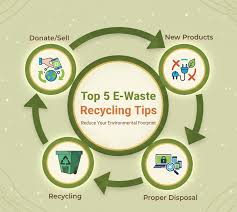
- Learn the different options for getting rid of old electronics.
- Discover how to find local recycling and drop-off points.
- Know what data to remove before disposing of devices.
- Explore ways to donate or sell usable electronics.
Why Proper Electronic Item Disposal Is Important
Getting rid of old electronics the right way is a big deal. These items, often called e-waste, contain valuable materials. They also hold harmful substances if they end up in landfills.
Proper handling ensures these valuable parts can be recovered and reused. It also stops toxic chemicals from polluting our soil and water. Think of it as giving your old tech a second life or a safe retirement.
Protecting Our Planet
Our planet is precious, and we all play a part in keeping it healthy. When we don’t dispose of electronics properly, bad things can happen. Heavy metals like lead and mercury can leak out.
These can poison the earth and water. They can even harm animals and people. By choosing safe methods for electronic item disposal, we help prevent this pollution.
We keep our environment cleaner for everyone.
Conserving Resources
Many electronic devices are made using rare metals and other resources. These materials take a lot of energy and effort to find and process. When we recycle old electronics, we recover these valuable materials.
This means we don’t have to dig up as much new stuff from the ground. It’s like getting free building blocks for new products. This conserves natural resources and reduces the environmental impact of making new electronics.
For instance, recycling one million laptops can recover about 35,000 pounds of plastic. It also yields about 16,000 pounds of metal. This metal includes significant amounts of gold, silver, and copper.
These are all valuable and finite resources.
Supporting a Circular Economy
A circular economy is a system where we reuse materials as much as possible. Instead of throwing things away after one use, we keep them in use. Proper electronic item disposal is a key part of this.
It allows materials from old gadgets to be remade into new things. This reduces waste and creates a more sustainable way of living. It’s a smart system that benefits both people and the planet.
Where To Dispose Of Electronic Items
Finding the right spot for your old electronics is easier than you think. There are several great options available to you. Each one offers a responsible way to handle your e-waste.
We will look at recycling centers, take-back programs, and donation centers. These places are ready to accept your unwanted gadgets.
Local Recycling Centers
Many towns and cities have dedicated recycling centers. These facilities are equipped to handle various types of waste, including electronics. They often work with specialized recyclers who know how to break down e-waste safely.
You can usually find information about your local center on your city’s or county’s government website. Some centers have specific drop-off days or times for electronics. Always check their guidelines before you go.
A quick online search for ” electronic recycling” should give you results. You can also call your local waste management department. They can point you to the nearest and most convenient drop-off location.
Retailer Take-Back Programs
Many electronics stores offer take-back programs. When you buy a new device, they might let you bring in your old one for recycling. This is a very convenient option, especially if you’re already upgrading.
Some retailers have partnerships with certified e-waste recyclers. They ensure your old items are handled properly. Look for signs or ask customer service about their recycling policies.
For example, some big electronics retailers have programs where they accept old phones, TVs, and computers. They might even offer a small credit or discount on your new purchase. This is a win-win: you get rid of old stuff and save money on new stuff.
Manufacturer Recycling Programs
Some electronic manufacturers also run their own recycling programs. They might have mail-in options or designated drop-off points. This is a great way to ensure that products from a specific brand are handled according to their own standards.
You can often find information about these programs on the manufacturer’s website. Look for sections like “sustainability” or “recycling.”
Special Collection Events
Keep an eye out for local e-waste collection events. Many communities organize these events periodically. They are usually held at public places like schools or community centers.
These events make it easy to drop off multiple electronic items at once. They are often sponsored by local government or environmental groups.
These events are great for clearing out a lot of old electronics at once. You might have old computers, printers, and even small appliances that you’ve been storing. A collection event is the perfect opportunity to get rid of them all.
Preparing Your Electronics For Disposal
Before you hand over your old gadgets, there’s a crucial step: data removal. Your electronic items, especially computers and phones, store personal information. You need to make sure this information is gone for good.
This protects your privacy and prevents identity theft. It’s like shredding important documents before you throw them away.
Wipe Your Data Securely
Simply deleting files is not enough. Deleted files can often be recovered. You need to use a secure data wiping method.
For computers, this means using specialized software. This software overwrites your hard drive multiple times. It makes the data unreadable.
Many operating systems have built-in tools for this. You can also find free and paid data wiping programs online.
For example, using a program like DBAN (Darik’s Boot and Nuke) can securely erase your hard drive. It overwrites the data with random patterns. This makes it extremely difficult, if not impossible, to recover any personal files.
Most of these programs are designed to be run from a USB drive or CD.
On smartphones and tablets, you can usually perform a factory reset. Make sure to log out of all your accounts first. Then, initiate the reset from the device’s settings menu.
This will return the device to its original, out-of-the-box state, removing your personal data.
Factory Resetting Smartphones and Tablets
When preparing your phone or tablet, the factory reset is your best friend. It’s like a digital spring cleaning. Go into your device’s settings.
Find the “System” or “General Management” section. Look for “Reset” or “Erase All Data.” Confirm the action. This process usually takes a few minutes.
It wipes your accounts, photos, messages, and apps.
Securely Erasing Computer Hard Drives
For computers, secure erasure is vital. If you’re not comfortable with data wiping software, consider physical destruction. However, certified recyclers can often do this for you.
If you’re donating or selling, wiping is essential. Software like CCleaner or built-in disk utilities in Windows and macOS can help. For higher security, use dedicated tools that perform multiple passes over the drive.
Remove Batteries If Possible
Some electronic items have removable batteries. If you can take them out, it’s often a good idea to do so. Batteries can sometimes be recycled separately.
Some batteries contain hazardous materials. Removing them can also make the rest of the device easier to recycle. Check your device’s manual to see if batteries are removable.
Always handle batteries with care.
Unplug All Cords and Accessories
Before you bag up your electronics, unplug all power cords, USB cables, and any other accessories. This makes them easier to pack and transport. It also ensures that nothing is accidentally powered on.
It keeps things tidy for the recycling facility. Gather all the bits and bobs together. This helps ensure they can be recycled or disposed of properly as well.
Donating Or Selling Usable Electronics
Not all old electronics are destined for recycling. If your device still works, consider giving it a new home. Donating or selling functional electronics is a fantastic way to reduce waste.
It also helps others who might need them. This keeps perfectly good items out of the waste stream.
Donating To Charities And Schools
Many charities and schools are always in need of functional electronics. Think about donating old laptops to local schools for students. Or donate working phones to organizations that help domestic violence survivors.
Many non-profits accept donations of computers, tablets, and other devices. They can refurbish them and provide them to people in need. This is a very impactful way to dispose of your items.
You can find charities that accept electronics through online searches. Websites like Goodwill or local community foundations often list their needs. Always check with the organization first to see what they accept and their donation process.
Selling Your Old Gadgets
If your electronic item is relatively new and in good condition, you might be able to sell it. Online marketplaces like eBay, Craigslist, or Facebook Marketplace are popular choices. There are also specialized websites that buy used electronics.
Selling your items can bring in a little extra cash. It also ensures the device gets used for longer.
Remember to securely wipe all your data before selling. Also, take clear, honest photos of the item. Describe any flaws accurately.
This helps ensure a smooth transaction.
Refurbishing Programs
Some organizations specialize in refurbishing old electronics. They take donated items, repair them, and then sell them at low cost. This is another great avenue for functional devices.
It directly supports programs that aim to bridge the digital divide. They often provide computers to low-income families or community centers.
Common Myths Debunked
Myth 1: All electronic recycling is the same.
Reality: Not all recycling facilities are created equal. Some are certified and follow strict environmental and data security standards. Others might not be as rigorous.
Look for certifications like R2 (Responsible Recycling) or e-Stewards. These certifications ensure your electronic item disposal is handled by professionals who follow best practices.
Myth 2: Throwing electronics in the regular trash is harmless.
Reality: This is far from true. Electronics contain hazardous materials like lead, mercury, and cadmium. When dumped in landfills, these toxins can leach into the soil and groundwater.
This pollutes our environment and can cause health problems. Proper electronic item disposal prevents this contamination.
Myth 3: Data deletion is enough for security.
Reality: Simply deleting files or formatting a drive is often not enough. Data recovery software can often retrieve this “deleted” information. For true security, data must be overwritten multiple times or the drive physically destroyed.
This ensures your personal information is inaccessible after electronic item disposal.
Myth 4: It’s too expensive to recycle electronics.
Reality: While some specialized services might have fees, many options for electronic item disposal are free or low-cost. Many municipalities offer free drop-off days. Retailers and manufacturers often have free take-back programs.
Selling or donating functional items can even earn you money or goodwill.
Frequently Asked Questions
Question: How do I find a certified electronic recycler near me?
Answer: You can search online for “certified electronic recycler R2” or “e-Stewards recycler” along with your location. Organizations like the EPA also provide resources to help you find certified facilities.
Question: Can I recycle broken screens or cracked devices?
Answer: Yes, most recycling centers accept damaged electronics. They are equipped to handle these items safely. Make sure to mention any damage when you drop them off.
Question: What if my electronic item is very old and obsolete?
Answer: Even old electronics should be disposed of properly. They often contain materials that can be recovered. Contact local recycling centers to see if they accept obsolete items.
Question: Do I need to remove software before recycling my computer?
Answer: You need to remove your personal data, not necessarily the software. The most important step is securely wiping your hard drive of all personal information and accounts.
Question: Are there any fees for electronic item disposal?
Answer: Many electronic item disposal options are free. Some facilities might charge a small fee for certain items like large TVs or monitors to cover special handling costs.
Summary
Proper electronic item disposal protects our planet and conserves resources. Explore local recycling centers, retailer take-back programs, and manufacturer initiatives. Always secure your personal data by wiping drives before disposal.
Consider donating or selling working devices to give them a second life. Taking these steps makes responsible electronic item disposal simple and effective for everyone.