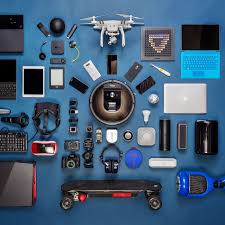

Sometimes, getting good pictures of electronics items can seem a bit tricky, especially if you’re just starting out. You might wonder why the photos don’t look quite right or how others make them pop. It’s totally okay to feel that way!
This guide will show you simple ways to get amazing photos of your electronics. We’ll walk through it step by step.
Key Takeaways
- Learn how lighting makes a big difference for electronics photos.
- Discover simple camera settings that improve your shots.
- Understand how to set up your background for a clean look.
- Find out easy editing tips to make your images shine.
- See how different angles change the feel of your electronics item images.
Setting Up Your Electronics Photo Shoot
Getting ready for a photo session with your electronics is like setting the stage for a play. You want everything to look its best. This means thinking about where you’ll shoot, what you’ll put behind your items, and how you’ll light them up.
A little preparation goes a long way in making your electronics items images look professional and appealing. We will explore how to create an inviting space for your gadgets.
Choosing the Right Location
The spot you pick for your photos matters a lot. Natural light is often the best friend for any photographer. Try to find a place near a window where the sun shines in, but not too directly.
This gives you soft, even light that doesn’t create harsh shadows.
- Window Light Benefits: Direct sunlight can be too strong and make your electronics look washed out or create dark spots. Soft, diffused light from a window is much kinder. It highlights the details of your electronics without being glaring. This type of light also makes colors look more true to life, which is important for showing off the design of your gadgets.
- Avoiding Overhead Lights: Lights directly above can create strange colors and reflections on shiny surfaces. Try to avoid using harsh ceiling lights during your shoot. If you must use artificial light, opt for lamps with soft shades that spread the light gently.
Backgrounds That Make Items Stand Out
What’s behind your electronics is just as important as the electronics themselves. A busy background can distract viewers from the item you want to show. Simple, clean backgrounds help your electronics pop and look more polished.
- Plain and Simple: A plain white or light gray background is a classic choice. It’s neutral and doesn’t compete with the colors or shapes of your electronics. You can use a large sheet of paper, a piece of fabric, or even a wall. This ensures all attention stays on the product.
- Adding Subtle Texture: Sometimes, a little texture can add depth. Think about a wooden table, a matte fabric, or even a simple colored cardstock. The key is to ensure the texture complements your electronics and doesn’t overpower them. For instance, a sleek laptop might look great on a dark wood surface.
Essential Lighting Techniques
Lighting is arguably the most critical element in photography. For electronics, you want to show off their form, texture, and color accurately. Poor lighting can make even the most attractive gadget look dull.
- The Power of Soft Light: Soft light wraps around your subject, reducing harsh shadows and highlights. Imagine a cloudy day; the light is even and gentle. This is ideal for capturing the details of circuit boards, screens, and casings without glare. You can achieve this by bouncing light off a white wall or using a diffuser, like a thin white curtain.
- Using Reflectors to Fill Shadows: Even with good light, some shadows are inevitable. A reflector can bounce light back into these shadowy areas, brightening them up. A simple piece of white cardboard or foam board works perfectly. Position it opposite your main light source to fill in the dark spots and reveal more detail.
- Avoiding Glare on Screens and Surfaces: Electronics often have shiny screens and metal casings that can cause distracting reflections. Try moving your light source or your camera slightly. Sometimes, changing the angle of your reflector can also help manage these reflections. Shooting at an angle to the light can sometimes diffuse reflections.
Camera Settings for Electronics Items Images
You don’t need a fancy camera to take great pictures. Many smartphones have excellent cameras. The trick is to use the right settings to capture the best possible image of your electronics.
We will look at some easy adjustments you can make.
Understanding Exposure
Exposure controls how light or dark your photo is. If it’s too dark, you can’t see the details. If it’s too bright, the image looks washed out.
Getting the exposure right is key for clear electronics items images.
- ISO Sensitivity: ISO measures how sensitive your camera’s sensor is to light. A lower ISO (like 100 or 200) means less sensitivity, which results in cleaner images with less grain. For well-lit situations, always aim for the lowest ISO possible. Higher ISOs are useful in low light, but they can introduce noise that makes the image look grainy.
- Aperture and Depth of Field: Aperture controls how much light enters the lens and affects the depth of field, which is how much of your image is in focus. A wider aperture (smaller f-number, like f/1.8) lets in more light and creates a shallow depth of field, blurring the background. A narrower aperture (larger f-number, like f/8) lets in less light but keeps more of the image in focus. For electronics, you often want most of the item sharp.
- Shutter Speed: Shutter speed is how long the camera’s sensor is exposed to light. A fast shutter speed freezes motion, while a slow shutter speed can create motion blur. For static electronics, you can use a moderate shutter speed. If your camera is handheld, a faster shutter speed (like 1/125 second or faster) helps prevent camera shake.
Focusing for Sharp Details
Sharpness is vital when showing off electronic gadgets. You want viewers to see every button, port, and label clearly. Getting your focus right ensures your electronics look precise and well-made.
- Manual vs. Autofocus: Most cameras and phones have autofocus. Tap on the screen where you want the camera to focus. For very small details or tricky surfaces, manual focus can be better. It allows you to fine-tune exactly where the sharpest point is.
- Macro Mode for Small Items: If you’re photographing small electronic components or intricate details, use your camera’s macro mode. This mode is designed for close-up shots and allows you to focus much closer to your subject than a standard mode. It’s perfect for highlighting tiny screws, circuit board traces, or logos.
White Balance and Color Accuracy
Colors need to look true to life. White balance tells your camera what is “white” in the scene, so all other colors are rendered correctly. Incorrect white balance can make your electronics look too blue, yellow, or green.
- Preset White Balance Options: Cameras have presets for different lighting conditions like “Daylight,” “Cloudy,” “Tungsten,” and “Fluorescent.” Try selecting the preset that best matches your lighting. For window light, “Daylight” or “Cloudy” often works well.
- Custom White Balance for Precision: For the most accurate colors, you can set a custom white balance. This involves taking a picture of a neutral gray card or a pure white object under your shooting lights and telling your camera that this is the correct white. Many smartphones also allow you to adjust white balance manually.
Photographing Different Types of Electronics
Every electronic item has its own characteristics that need special attention. From shiny smartphones to textured keyboards, each requires a slightly different approach to capture its essence. These tips will help you make your electronics items images shine.
Smartphones and Tablets
These devices are often shiny and have screens that can reflect a lot. The goal is to show off their sleek design and vibrant displays without distracting glare.
- Screen Content Matters: What you show on the screen can make a big difference. Use a high-quality image, a colorful app, or a clean home screen. Ensure the screen content looks appealing and adds to the overall image.
- Managing Reflections: Position your lights and camera carefully. Use a diffuser or bounce light to soften reflections on the screen and body. Sometimes, a slight angle is all you need to move an unwanted reflection out of view.
- Showcasing Thinness and Bezels: A profile shot can highlight the slimness of the device. Pay attention to the details of the bezels and buttons. Even small elements contribute to the premium feel of the product.
Laptops and Computers
These items are often larger and have a variety of surfaces, including screens, keyboards, and casings. The focus is on their functionality and design.
- Keyboard Details: If you’re photographing a laptop, showing the keyboard can be important. Ensure the keys are clean and visible. You might position the shot so that the keyboard is clearly in view, perhaps with a hint of the screen in the background.
- Showcasing Ports and Connectivity: For desktop computers or laptops, sometimes highlighting the ports is useful. This can be done with a close-up shot or by including them in a wider scene if they are a selling point.
- Ergonomics and Design: Consider the overall shape and how the device might be used. A shot of an open laptop on a desk can convey a sense of productivity and modern design.
Audio Equipment Speakers and Headphones
These items are often designed with aesthetics and sound quality in mind. Capturing their textures, curves, and finishes is key.
- Highlighting Materials and Textures: Many audio devices use premium materials like brushed metal, soft-touch plastics, or textured fabrics. Use lighting to emphasize these textures. Soft, directional light can reveal the subtle details of a speaker grille or the plushness of headphone earcups.
- Focus on Design Lines: Speakers and headphones often have unique, ergonomic designs. Capture their curves and sleek lines from different angles. A low-angle shot can make a speaker tower look imposing and grand.
- Wireless Connectivity Cues: For wireless headphones or speakers, you might subtly suggest their wireless nature. This could be by showing them placed away from any cables or by using a clean, uncluttered background that implies freedom of movement.
Gaming Consoles and Accessories
These items are often about excitement and performance. Photos should convey this energy and the visual style of the products.
- Dynamic Angles: Gaming gear often benefits from dynamic, slightly angled shots. This can make the consoles and controllers look more exciting and ready for action. Avoid flat, straight-on shots unless you’re showing a specific feature.
- LED Lighting Effects: Many gaming devices feature LED lighting. If yours does, make sure to capture these lights. They add a lot of visual appeal and can be a key part of the product’s identity. Experiment with different lighting to make the LEDs glow without washing out the rest of the image.
- Showing Controllers and Peripherals: If you’re photographing a console, include its controllers and any other accessories. Show them arranged in an appealing way, perhaps as if ready for a game session. This helps the viewer imagine using the full setup.
Editing Your Electronics Items Images
After taking your photos, a little editing can make them truly stand out. Editing is not about changing reality, but about making your images as clear and appealing as possible. We will cover basic tools that help.
Basic Adjustments
These simple tweaks can dramatically improve the look of your photos. They help ensure your electronics are presented in the best possible light.
- Brightness and Contrast: Adjusting brightness makes the overall image lighter or darker. Contrast adds definition by making the light areas brighter and dark areas darker. For electronics, you want a good balance that shows detail without looking flat or blown out.
- Color Saturation and Vibrance: Saturation controls the intensity of all colors in the image. Vibrance is a smarter tool that adjusts the intensity of less-saturated colors more than the already rich ones, preventing unnatural skin tones (though not relevant for electronics) or overly garish colors. Use these to make colors pop, but don’t overdo it; they should still look natural.
- Sharpening for Detail: Sharpening can make details crisper and clearer. Be careful not to over-sharpen, as it can create an artificial halo effect around edges and make the image look grainy. A little sharpening can make buttons, ports, and logos look extra defined.
Cropping and Straightening
These tools help you refine the composition of your photo and ensure it looks clean and professional.
- Composition with Cropping: Cropping allows you to remove unwanted parts of the image and improve the overall composition. You can use it to center your subject, apply the rule of thirds, or eliminate distractions at the edges. For instance, you might crop out a messy corner of your desk.
- Straightening Lines: Electronics often have strong straight lines. If your camera was slightly tilted, these lines might appear crooked. Straightening them in editing makes the product look more stable and professionally presented. This is especially important for product shots where precision is key.
Removing Distractions
Sometimes, despite your best efforts, small distractions can appear in your photos. Editing tools can help clean these up.
- Spot Healing and Cloning Tools: Most editing software has tools to remove small blemishes, dust spots, or minor smudges. The spot healing tool can magically remove small imperfections. The clone stamp tool lets you copy pixels from one area to another to cover up unwanted elements. Use these sparingly and carefully to maintain a natural look.
- Cleaning Up Backgrounds: If there’s a small, distracting element in your background, like a stray wire or a small smudge on a surface, you can often remove it using editing tools. This helps maintain the clean aesthetic you aimed for during your setup.
Advanced Tips for Eye-Catching Electronics Images
Once you have the basics down, you can experiment with more advanced techniques to make your electronics items images truly stand out. These methods add visual interest and can tell a story about the product.
Playing with Angles
The angle from which you shoot can completely change the perception of an electronic item. Different angles emphasize different aspects of the design and purpose.
- Low Angle Shots: Shooting from a low angle can make an electronic item look powerful, important, or larger than it is. This is great for gaming consoles or high-end audio equipment, giving them a commanding presence. It emphasizes their form and stability.
- High Angle Shots: A high angle can show the top of a device, like a keyboard or the layout of a computer setup. It’s useful for demonstrating functionality or showing multiple components together, like a mouse and keyboard. This angle offers a sense of overview.
- Detail Shots: Get close up to capture specific features like ports, buttons, logos, or textured surfaces. These shots highlight the craftsmanship and finer points of the electronics that might be missed in a wider view. They add a layer of sophistication.
Using Props and Context
Props can help provide context and make your electronics look more relatable and appealing. They can suggest how the item is used in everyday life.
- Functional Props: For a laptop, a coffee cup and a notebook can suggest productivity and a workspace. For a gaming console, a controller in hand or game cases can imply an immersive experience. The key is to use props that are relevant and don’t clutter the image.
- Lifestyle Integration: Show the electronics being used in a stylish environment. A tablet on a kitchen counter, a smart speaker in a living room, or a high-end camera with a scenic background can illustrate the product’s place in a lifestyle. This helps viewers imagine the product in their own lives.
- Minimalist Props: Sometimes, just a simple object can add visual interest. A single green leaf next to a sleek smartphone or a simple geometric shape can add a touch of artistry without distracting from the main subject.
Showcasing Functionality
The best photos often show the electronics doing what they do best. This helps potential buyers understand the product’s benefits.
- Screens in Action: For devices with screens, showing them displaying something engaging is powerful. This could be a vibrant app, a video playing, or a beautifully designed interface. Ensure the screen is clear and the content is high-resolution.
- Working Buttons and Lights: If your electronics have illuminated buttons, indicator lights, or moving parts, try to capture them in action. This adds a dynamic element and demonstrates that the product is powered on and ready to go.
- Connectivity Visuals: For wireless devices, showing them connected or indicating connectivity can be useful. This might involve showing a Bluetooth icon on a screen or having a device paired with another.
Common Myths Debunked
Myth 1: You need an expensive camera to take good electronics pictures.
This is not true. While professional cameras offer more control, modern smartphones have incredibly advanced camera systems. With good lighting, a steady hand, and thoughtful composition, you can take stunning photos of electronics items images using just your phone.
The focus should be on learning photography principles rather than equipment cost.
Myth 2: Editing software is only for professionals.
Editing software, both on computers and as mobile apps, is very user-friendly these days. Many applications offer simple, intuitive tools for basic adjustments like brightness, contrast, and cropping. You don’t need to be a digital artist to make your photos look better.
Simple edits can significantly improve the appeal of your electronics images.
Myth 3: Natural light is always the best for electronics.
While natural light is excellent, it’s not always the best for every situation. Direct sunlight can create harsh shadows and glare on shiny electronics. Sometimes, controlled artificial lighting with diffusers and reflectors offers more consistency and allows you to shape the light precisely to highlight your product’s features without harshness.
Myth 4: The background doesn’t matter much for product photos.
The background is crucial. A cluttered or distracting background can pull attention away from your electronics. A clean, simple background helps the product stand out and appear more professional.
It’s an essential part of good product photography that enhances the appeal of your electronics items images.
Frequently Asked Questions
Question: What is the best time of day to photograph electronics using natural light?
Answer: The best times are usually in the morning or late afternoon when the sun is softer. Avoid the harsh midday sun, which can create strong shadows and overexpose your images.
Question: How can I prevent glare on my electronic device screens?
Answer: Try to position your light source at an angle to the screen, rather than directly in front of it. Using a diffuser or a reflector can also help soften and redirect the light to minimize glare.
Question: Should I photograph electronics on a white background or something else?
Answer: A white background is a safe and professional choice that makes your electronics stand out. However, you can also use other simple backgrounds like wood, fabric, or subtle textures if they complement your product and don’t distract from it.
Question: How do I make my electronics look sharp and in focus?
Answer: Ensure you tap on the specific part of the electronic device you want in focus on your smartphone screen. If using a camera, use the autofocus point on your subject or switch to manual focus for precise control. Shooting in good light also helps the camera focus more accurately.
Question: What are some easy ways to make my electronics photos more interesting?
Answer: Experiment with different camera angles, use simple props to provide context, and try to capture the device in use. Showing the product in a lifestyle setting or highlighting a key feature can make your images more engaging.
Summary
Capturing great electronics items images is achievable with simple steps. Focus on good lighting, clean backgrounds, and basic camera settings. Editing helps refine your shots.
By paying attention to detail and practicing, you can create appealing photos that showcase your electronics beautifully.